


Many assessments run in a separate pop-up window. There are some Pop-up blockers on every PC that function to prevent the test window from opening. Therefore, it will be good to disable all the Active pop-up blockers. How to turn off pop up blocker All modern browsers have pre-installed Various anti-virus software packages, and toolbars also possess them. It is instructed to read the manual that came with anti-virus software to find out how to disable any pop-up blockers temporarily.
Pop-up blockers are also known as the pop-up killer, and they work in several ways. Some of them close the window before it appears, whereas some of them disable the command that calls the pop-up, and some change the HTML source of windows.
Steps to turn off the pop blocker

It is possible to turn off the pop-up blocker from different settings. Some of them are given below:
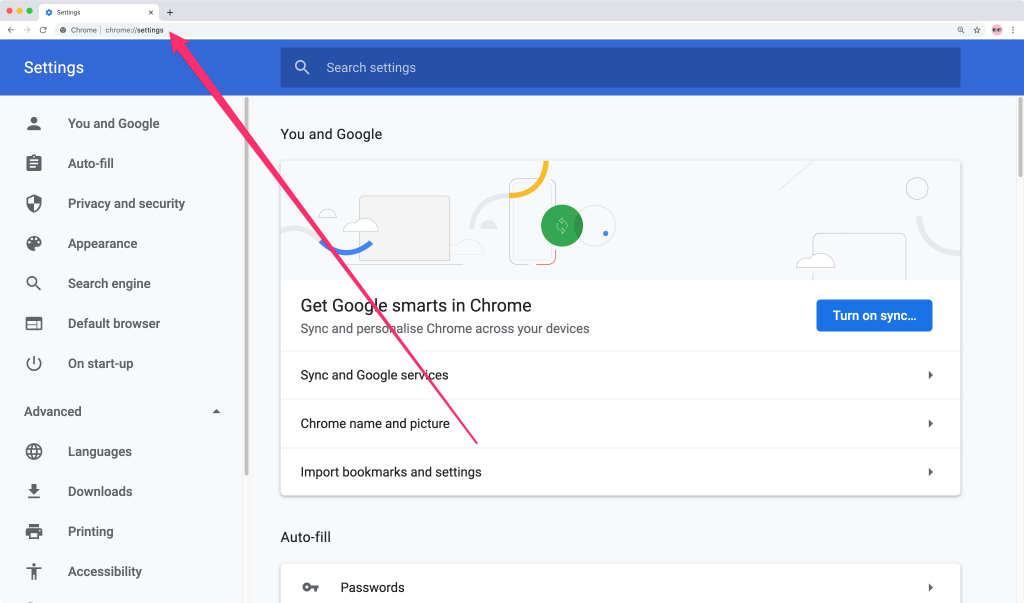
Turn off the pop blocker from chrome.
By default, Chrome is functioned to notify when a pop-up is blocked. It also offers an option to see it. To turn off the r, follow some simple steps:
- First of all, click the Customize and control Google Chrome menu. It will be available in the form of three dots in the upper right corner and select settings.
- Click Advanced, which will be present at the bottom.
- Now click the site setting button, which will be Under Privacy and security.
- Select Pop-ups and redirect. To disable it, uncheck the Blocked box.
It is also possible to enable pop-ups on specific sites. For this, Check Blocked and click Add next to Allow. Now enter the URL(s).
Turn off the pop blocker from Firefox.
- There will be three horizontal bars in the upper right corner. Select them, and from options, select the Privacy and Security tab.
- To disable the pop-up blocker, you need to uncheck the Block pop-up windows box, located below Permissions.
- It is possible to allow specific pop-ups by clicking Exceptions and entering the URL(s).
- Now Close the window and click OK.
Also read: How to open a can without a can opener
Turn off pop blocker from Edge
Open the Microsoft Edge browser and go to settings to select more > Settings > Privacy & Security. Under the Security option, you have to switch Block pop-ups to off to disable.
Turn off from internet explorer.
- First of Click Tools and then click Pop-up Blocker.
- There will be an option to turn off the popup blocker. Click it.
- Another method is to click the GEAR icon and select Internet Options.
- Now select the Privacy tab and uncheck the Turn on -up r to disable the -up blocker.
- In the last step, click the Settings button to disable pop-up blockers for particular websites and press ok.
Turn off from MAC.
- First of all, click the Customize and control Google Chrome menu to Select Settings.
- Now Click Advanced at the bottom. Under privacy and security, there will be a content setting option. Click it and select Pop-ups and redirects.
- Click uncheck to turn off the pop-up blocker.